Cut your day, one sticker at a time
Take a photo, or pick one from your library. The subject gets cut out, framed with a white die-cut edge, and lands on today's journal page as a sticker. A coffee, an outfit, a cat, a view — anything can wake up.
Three steps, one sticker
Snap it, or pick it
Shoot straight from the camera, or choose from your library. Library photos land on the day they were taken.
The subject wakes up
Your device cuts the subject out and draws a white die-cut edge. With no clear subject, the whole photo becomes a polaroid card instead.
Stick it on today
Give it a name, a category, a mood and a line — it goes onto today's lined page. The title and tags are suggested for you.
Have a look
Everything a sticker journal needs
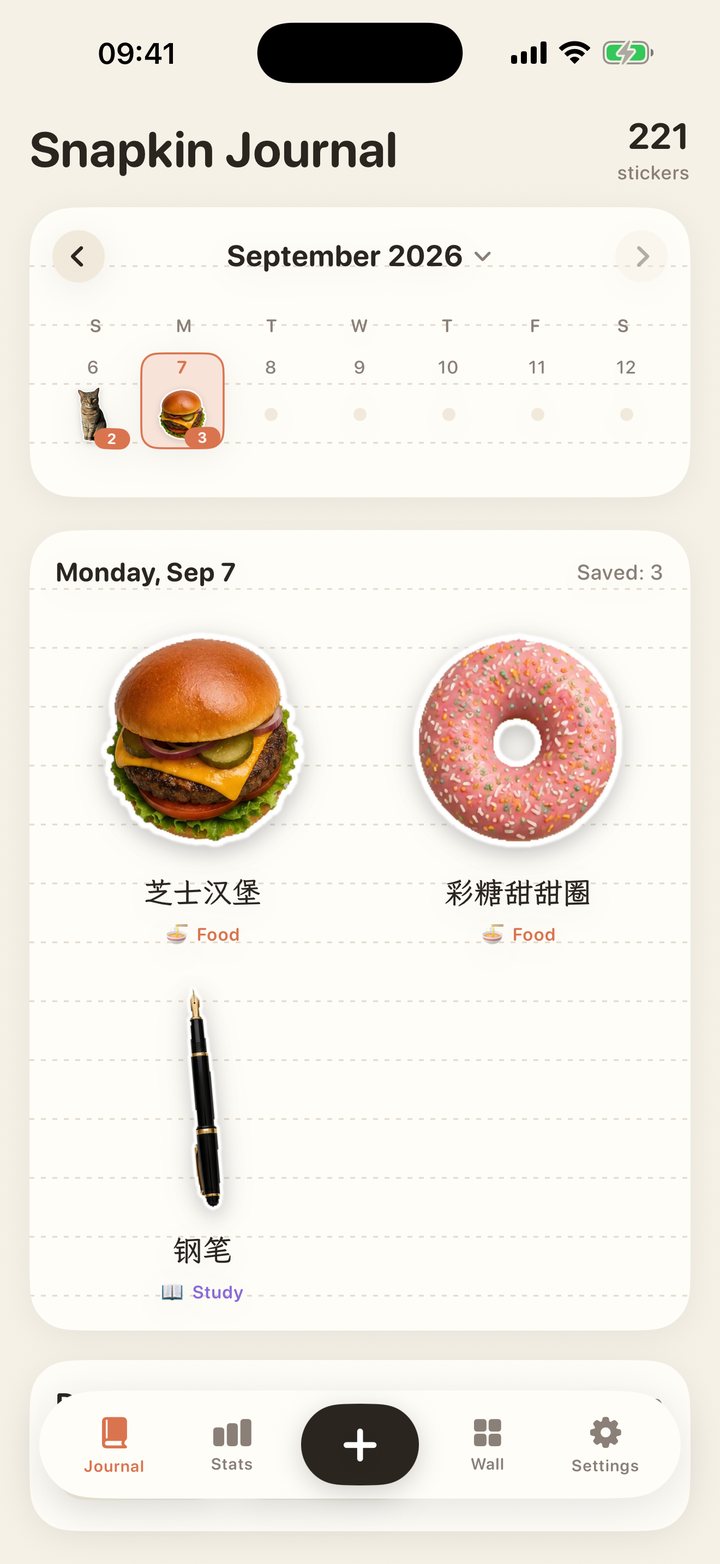
Every day is a page of lined paper. Stickers sit where you put them, hold one to reorder, and the first one becomes that day's cover on the calendar.
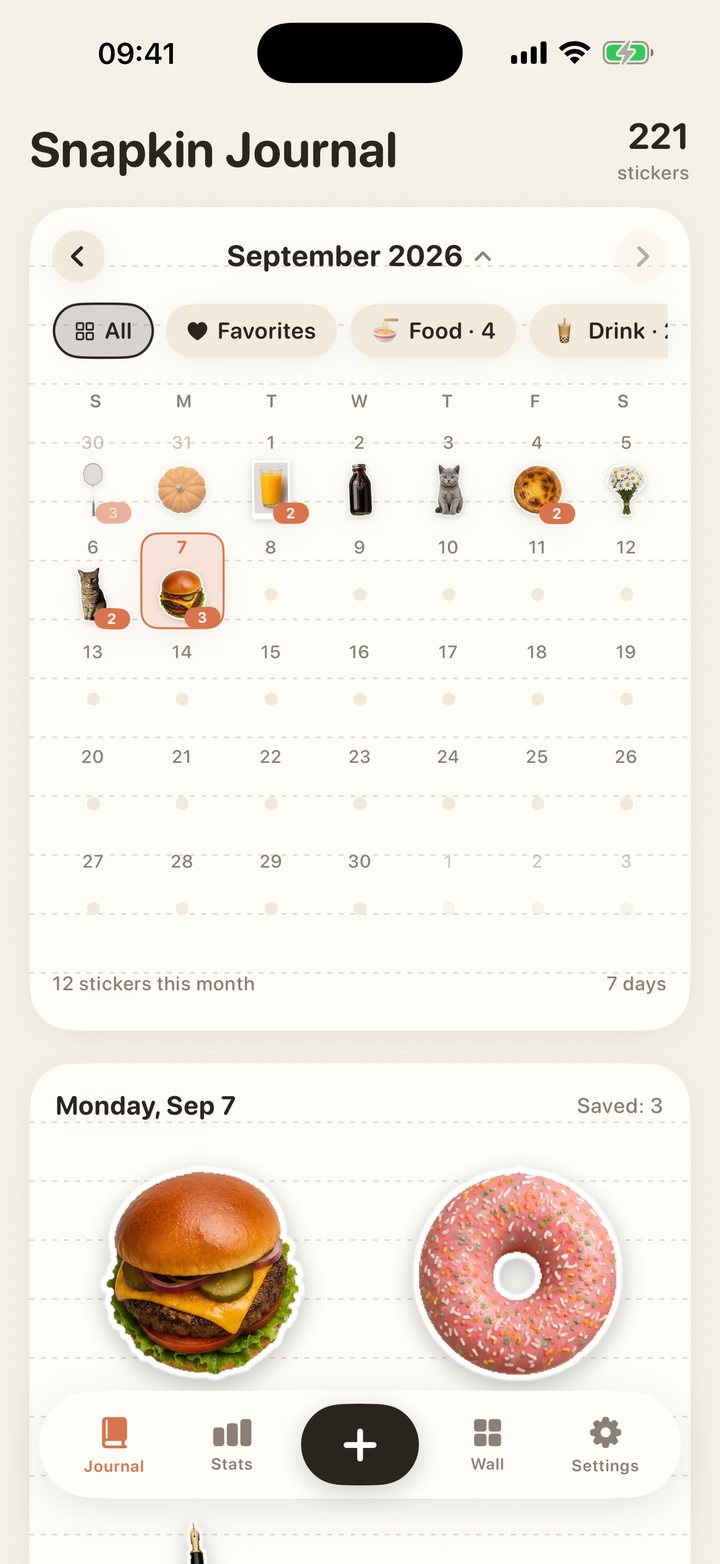
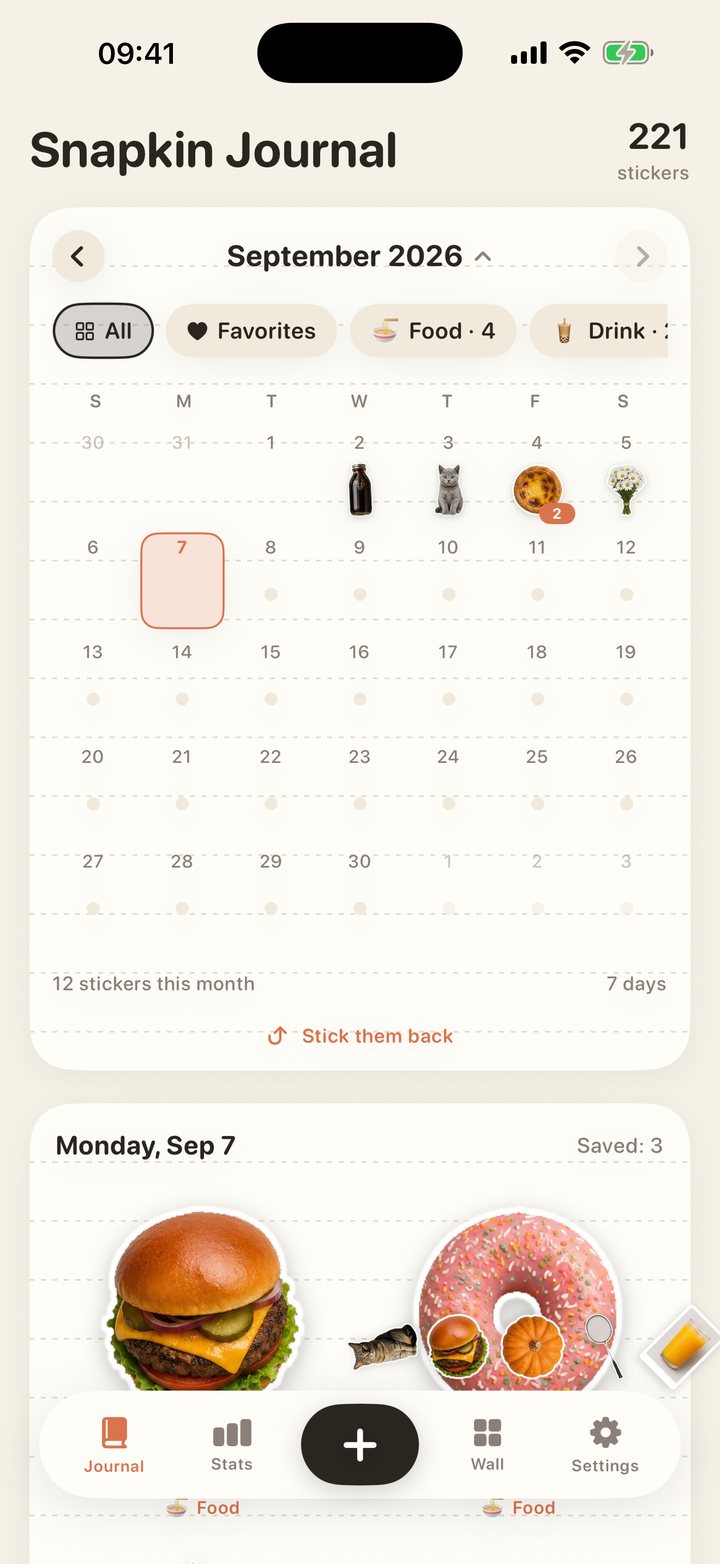
This week at a glance; pull down and the whole month opens, a cover sticker in every cell. Filter by category or favorites to see what a month left behind.
A title, a category and tags are suggested right after the photo. Recognition runs on your device, and the names it finds follow your interface language.
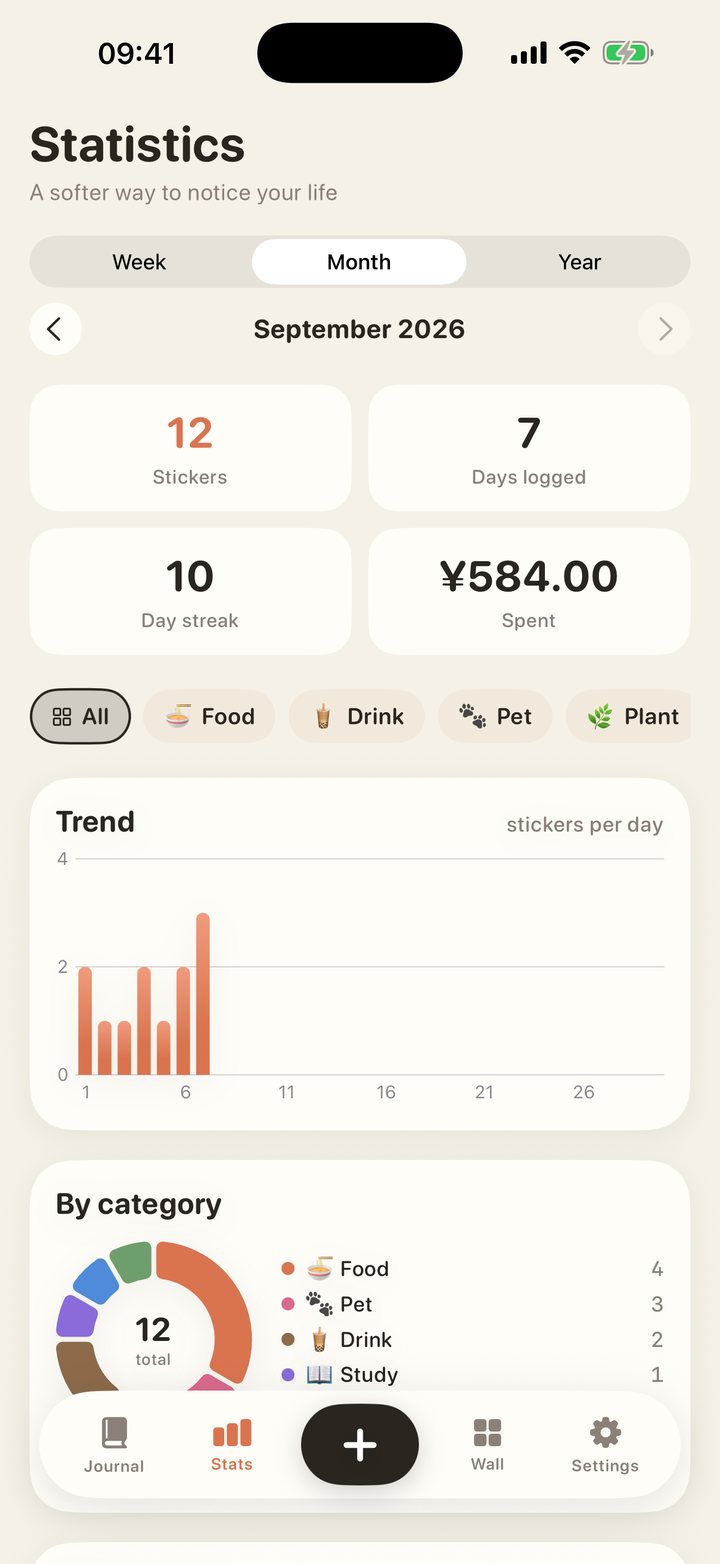
Stickers, days logged, streaks and spending by week, month or year, with trend and category charts.
Everything you have saved, searchable by title, note and tag, filterable by category or favorites.
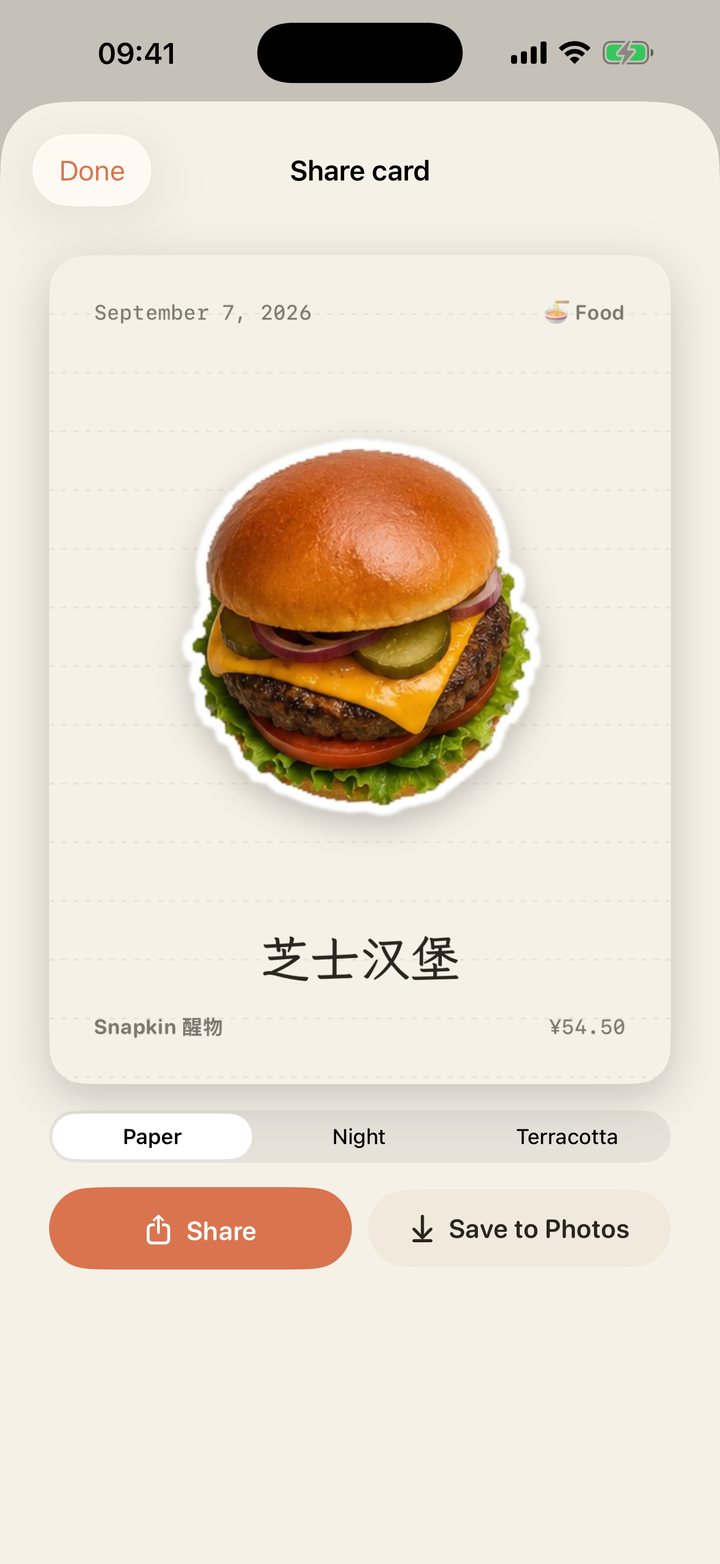
Paper, Night and Terracotta — share in a tap or save to Photos.
English, Simplified and Traditional Chinese, Japanese, Korean, German, Spanish, French and Portuguese. The interface, the suggested names and the sample data all follow the one you pick.
The same journal on both. On iPad the content sits in a centred column with one more sticker per row. Light and dark follow the system, and there are three title typefaces.
Something is hidden in the calendar. Go find it.
- No account, no server, no ads
- Photos never leave your device
- Nine languages · iPhone and iPad
- Folding calendar · category and favorite filters
- Hold to reorder · first sticker is the cover
- Export to JSON anytime
No account, no server, no third-party SDKs
Cut-out and recognition both run through Apple's own Vision framework on your device. The app makes no network requests at all. Your photos, stickers and notes stay on your phone.
Frequently asked
The cut-out doesn't look right. What now?
Before saving, switch "Cut-out" to "Photo card" in the editor and the whole photo becomes a polaroid-style card. Photos with a clear subject and a clean background cut out best.
Are my photos uploaded?
No. Cut-out and recognition happen on your device and the app makes no network requests. See the privacy policy.
Which languages are supported?
Nine: English, Simplified and Traditional Chinese, Japanese, Korean, German, Spanish, French and Portuguese. Follow the system or pick one in Settings; it applies immediately.
Does it work on iPad?
Yes. Same journal, with the content in a centred column and one more sticker per row on the board, the wall and the stats. Portrait only for now.
How do I change an entry's date?
There is a date row in the editor; you can move an entry to any day. Photos picked from the library default to the day they were taken.
How do I export or delete my data?
Settings → Data → Export as JSON writes out every entry; single entries are deleted from their detail page; deleting the app removes everything.